The Three Devices at a Glance
If you've ever stared at the blinking boxes your internet provider installed and wondered which one does what, you're not alone. The terms modem, router, and gateway get used interchangeably — but they describe distinct jobs. Getting them straight helps you troubleshoot faster and understand your home network better. For a broader picture of how internet service reaches your home in the first place, see Home Internet for Beginners.
| Primary job of a modem | Connects your home to your ISP's network |
| Primary job of a router | Distributes one connection to many devices inside your home |
| What a gateway is | A combined modem + router in a single device |
| How many devices a modem alone can serve | One (requires a router to share the connection) |
| Cable internet modem standard | DOCSIS (Data Over Cable Service Interface Specification) |
| Who typically supplies a gateway | Your internet service provider (ISP), often as a rental |
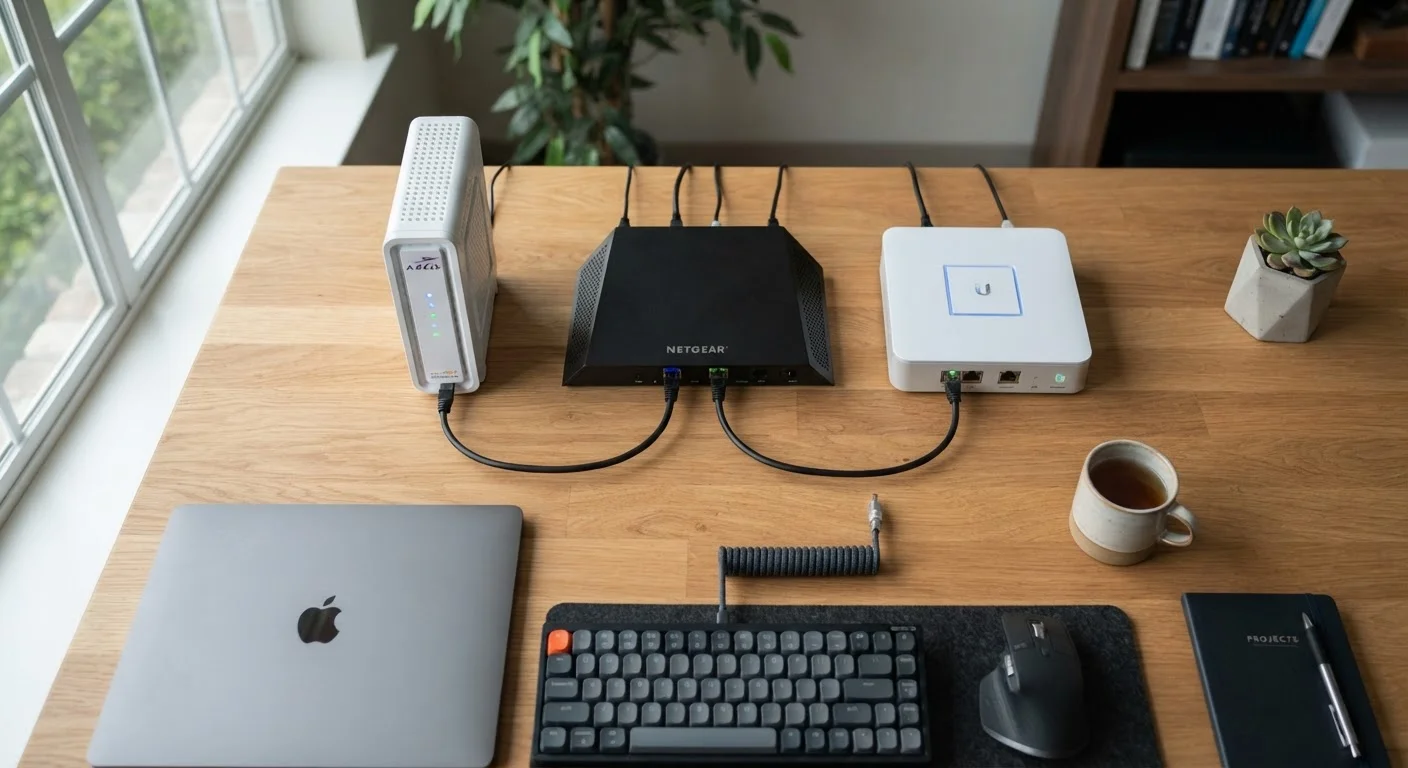
Here's the short version before we go deeper: a modem connects your home to your internet service provider (ISP). A router distributes that connection to multiple devices inside your home. A gateway combines both functions into a single device — which is what many ISPs provide when you sign up for service.
What a Modem Does
The word modem is a blend of modulator and demodulator. Your ISP sends data over a physical medium — a coaxial cable, phone line, or fiber-optic line — using a signal format your home devices can't directly read. The modem translates that incoming signal into a digital format your equipment understands, and translates outgoing data back into a format the ISP's network can carry.
A modem has two ports: one that connects to the line coming in from outside your home (the WAN port), and one ethernet port that connects to your router or directly to a single computer. On its own, a modem can serve exactly one device — it doesn't share or distribute the connection. That's the router's job.
The type of modem you need depends on your connection type. Cable internet uses a DOCSIS modem; DSL uses a DSL modem; fiber connections often use a special terminal called an ONT (Optical Network Terminal). See Internet Connection Types Explained for a breakdown of each technology.
What a Router Does
A router's job is to manage traffic within your home network and share one internet connection among many devices. When your modem hands off a single internet connection, the router takes over — assigning a local address to each device (phone, laptop, smart TV, etc.) through a process called DHCP (Dynamic Host Configuration Protocol).
The router also acts as a basic firewall, blocking unsolicited traffic from the internet before it reaches your devices. Most modern routers broadcast Wi-Fi, making them wireless routers, though the routing function is separate from the wireless radio.
Modem
A device that connects your home to your ISP by translating incoming signals from the physical line into digital data your devices can use, and vice versa.
Router
A device that distributes one internet connection to multiple devices inside your home, managing local network traffic and assigning addresses to each device.
Gateway
A single device that combines modem and router functions. Commonly provided by ISPs as a rental unit for ease of installation.
DHCP
Dynamic Host Configuration Protocol. The process routers use to automatically assign a unique local IP address to each device that joins the network.
WAN Port
The Wide Area Network port on a modem or router that connects to the incoming internet line from your ISP — as opposed to the LAN ports that connect devices within your home.
Bridge Mode
A setting on a gateway that disables its routing function, allowing a separate router to manage the home network while the gateway handles only the modem role.
If you're noticing slow speeds on certain devices but not others, the culprit is often the router — not the modem. Understanding how traffic is managed can help you pinpoint problems. Bandwidth Hogs: What's Actually Slowing Down Your Home Network explains which devices and habits tend to consume the most capacity.
For whole-home coverage, some households replace a traditional router with a mesh system. Mesh Wi-Fi vs. Traditional Router compares those two approaches.
What a Gateway Does — and When You Have One
A gateway is simply a modem and router built into one box. ISPs often supply these as a convenience — fewer devices to install, one power cord, one support call when something goes wrong. If you rent equipment from your ISP, there's a good chance it's a gateway.
Renting vs. Owning Your Equipment
Many ISPs charge a monthly rental fee for gateway devices. In some cases, purchasing a compatible modem or gateway outright may reduce your monthly bill over time — though compatibility varies by ISP and connection type. Always verify that any equipment you plan to use is approved by your provider before purchasing. This article is general educational information, not a specific purchase recommendation.
Gateways are practical, but they can limit flexibility. Because the modem and router functions are fused, you can't upgrade just the router portion if your Wi-Fi coverage is weak. Some gateways allow a mode called bridge mode, which disables the routing function and lets you plug in a separate router — giving you more control without replacing the whole unit.
When troubleshooting, it helps to know which device is which. If your internet is completely out (no signal at all), the issue is likely the modem or gateway's WAN connection — meaning either the physical line or your ISP's service. If only some devices can't connect, or speeds vary by room, the router is the more likely culprit. What Your Router Is Actually Doing When You Restart It walks through exactly what happens during a reboot and why it often resolves common issues.