
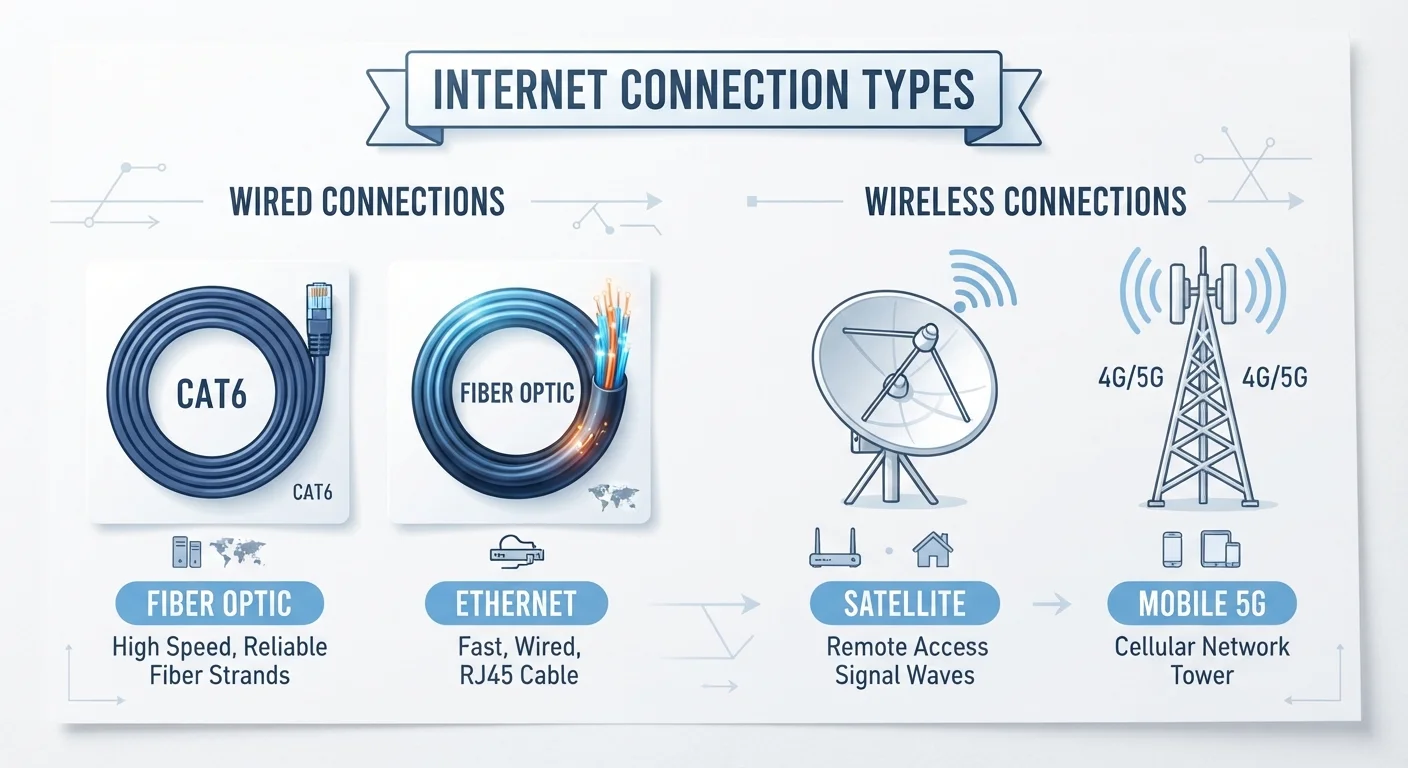
The Four Main Internet Connection Types at a Glance
When you sign up for home internet, your service travels to you over one of a handful of physical or wireless technologies. The type you have — cable, fiber, DSL, or satellite — shapes your speeds, reliability, and latency before your router even enters the picture. If you want to understand the full path from the street to your screen, our Home Internet for Beginners guide covers the fundamentals in plain language.
| Cable availability | Widely available in urban and suburban areas (FCC Broadband Deployment Reports) |
| Fiber speed characteristic | Often symmetrical — equal upload and download speeds |
| DSL speed factor | Degrades with distance from ISP switching facility |
| Geostationary satellite latency | Typically 500–700 ms round-trip |
| LEO satellite latency | Roughly 20–60 ms in favorable conditions |
| Best for rural areas | DSL or satellite (where cable/fiber unavailable) |
Here's a concise overview of each technology, followed by what it means for your day-to-day use.
Cable Internet
Cable internet rides on the same coaxial copper cable that carries cable television. Your ISP sends data signals through this infrastructure to a cable modem in your home. Because the network was built for broadcast TV — designed to push lots of data in one direction — cable is typically faster for downloading than uploading.
A key characteristic of cable is that neighborhood nodes are shared among nearby subscribers. During peak evening hours, when many households stream simultaneously, you may notice speed dips. This is sometimes called network congestion. Cable is widely available in suburban and urban areas and generally supports speeds ranging from tens of megabits per second to over a gigabit, depending on the infrastructure vintage and your plan. To understand what those speed numbers actually mean for your household, see our speed decoder.
Fiber Internet
Fiber-optic internet transmits data as pulses of light through thin glass or plastic strands. Because light travels faster and with less signal degradation than electricity through copper, fiber delivers the lowest latency and the most consistent speeds of any widely available residential technology.
A major practical advantage: fiber often provides symmetrical speeds, meaning upload rates match download rates. This matters for video calls, cloud backups, and working from home. Fiber availability has expanded steadily but remains uneven — it's more common in newer developments and cities that have invested in updated infrastructure. If your home is fiber-connected, you're less likely to encounter the congestion patterns that affect cable. Fiber also pairs well with a wired connection; see when Ethernet still wins for why that matters.
DSL Internet
DSL — short for Digital Subscriber Line — delivers internet over the copper telephone lines already installed in most American homes. Because those lines weren't designed for broadband, DSL speeds are generally lower than cable or fiber, and performance degrades the farther you are from your ISP's central switching facility (called a DSLAM).
DSL is most commonly available in rural and suburban areas where cable hasn't been deployed. For light internet use — email, basic browsing, and standard-definition video — DSL is often sufficient. However, households with multiple simultaneous streams or smart-home devices may find bandwidth limiting. If you're trying to identify which devices are eating your bandwidth, our bandwidth hogs guide can help you prioritize.
Latency
The time it takes for a data packet to travel from your device to a server and back, measured in milliseconds. Lower latency means more responsive connections, which matters for gaming and video calls.
Symmetrical speeds
When upload and download speeds are equal. Fiber often provides this, while cable and DSL typically offer faster downloads than uploads.
Coaxial cable
A type of copper cable with a central conductor surrounded by insulating layers, originally used for cable TV and now also used to deliver cable internet.
DSLAM
Digital Subscriber Line Access Multiplexer — the equipment at your ISP's central office that connects multiple DSL customer lines to the broader internet backbone.
LEO Satellite
Low Earth Orbit satellite — positioned just a few hundred miles above Earth rather than tens of thousands of miles, resulting in significantly lower latency than traditional satellite internet.
Bandwidth
The maximum amount of data that can be transmitted over your connection per second, usually measured in megabits per second (Mbps). Higher bandwidth supports more simultaneous data-heavy activities.
Satellite Internet
Satellite internet transmits data between your home dish and orbiting satellites. Traditional geostationary satellite services use satellites stationed roughly 22,000 miles above Earth, which introduces substantial latency — typically 500–700 milliseconds round-trip. This makes real-time applications like gaming and video calls noticeably sluggish.
Low Earth Orbit (LEO) satellite services operate at altitudes of a few hundred miles, dramatically reducing latency to roughly 20–60 milliseconds in many cases, though performance can still vary based on weather and network load. Satellite is often the only broadband option in remote or rural areas where cable, fiber, and DSL infrastructure doesn't reach. Data caps and service interruptions during heavy weather remain practical limitations to be aware of.
Whichever connection type you have, the equipment in your home plays a significant role in the experience you get. Understanding what your modem, router, and gateway each do is a useful next step before considering any upgrades — and it's worth reading common upgrade pitfalls so you don't spend money on changes that won't help.