
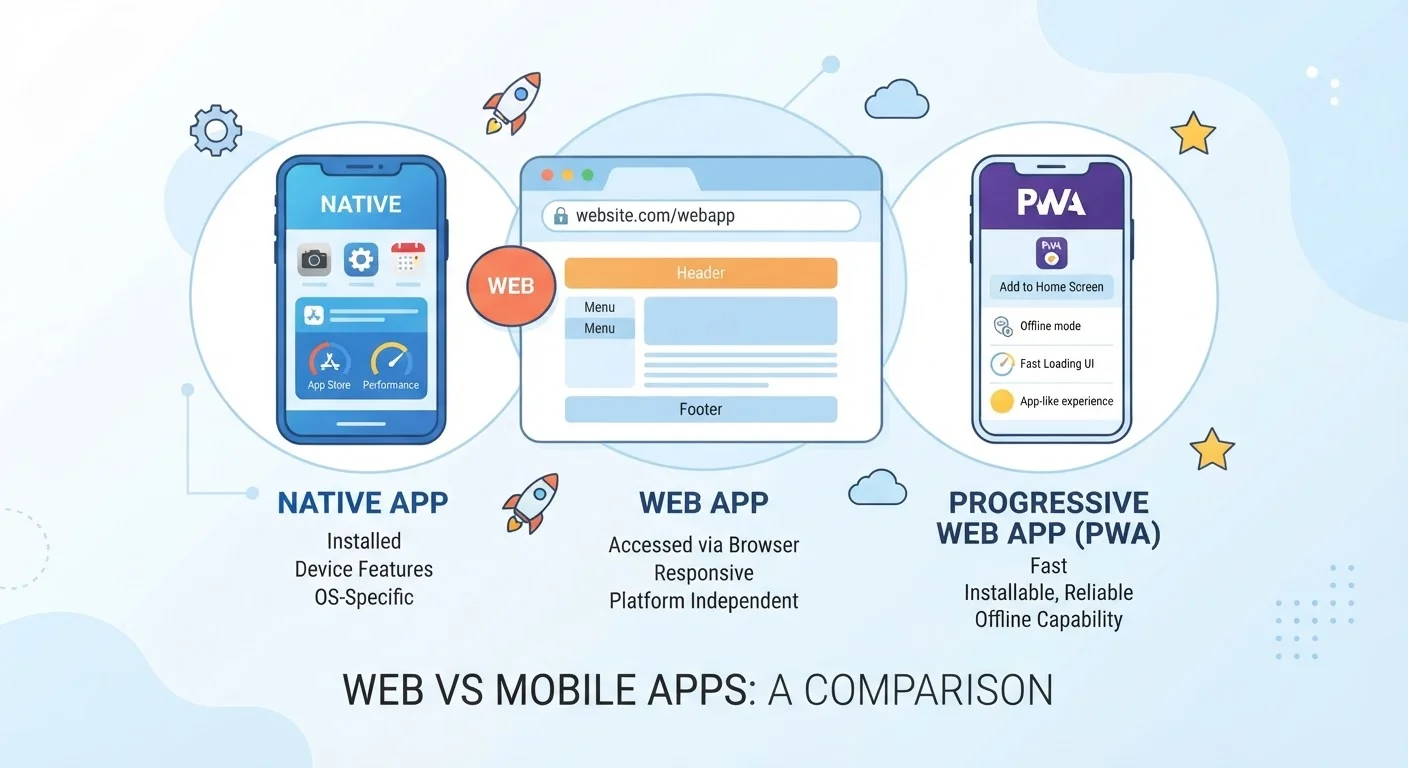
What Each App Type Actually Is
When you use an app, you're probably not thinking about how it was built — you just want it to work. But the underlying type of app affects everything from speed to how much storage it consumes to what data it can access on your device.
Native apps are built specifically for one operating system — iOS or Android — and installed directly on your device from an app store. Because they're tailored to the platform, they can access your camera, GPS, and sensors with precision. Think of the apps already living on your phone's home screen.
Web apps live entirely in your browser. You access them by visiting a URL, and nothing gets installed. Many business tools, dashboards, and productivity platforms work this way. Their big advantage is universality — the same experience loads on any device with a browser.
Progressive Web Apps (PWAs) are a newer hybrid. They're built with web technologies but can be installed to your home screen, send push notifications, and even work offline to a degree. You've likely encountered them without knowing — some news sites, productivity tools, and e-commerce platforms use this approach. For context on what access you grant any of these app types, see our guide to app permissions.
How They Compare Across Key Factors
The differences between app types become clearest when you look at specific dimensions that affect your everyday experience — from how they perform to how they handle your data.
| Native Apps | Web Apps | Progressive Web Apps (PWAs) | |
|---|---|---|---|
| Installation required | Yes — via app store | No — browser only | Optional — add to home screen |
| Offline functionality | Full, by design | Very limited or none | Partial, varies by app |
| Device hardware access | Deep — camera, GPS, sensors | Limited by browser sandbox | Moderate — growing over time |
| Storage use | Higher — stored on device | None on device | Low — minimal footprint |
| Performance | Typically fastest | Depends on connection speed | Good — closer to native |
| Updates | Manual or scheduled via store | Instant — always current | Instant — server-side updates |
| Cross-platform compatibility | Platform-specific (iOS or Android) | Works on any browser | Works on most modern browsers |
One distinction worth noting: native apps go through an app store review process, which provides some vetting but also means updates take longer to reach you. Web and progressive web apps update instantly on the server side — you always get the latest version when you open them.
Privacy and Permissions: A Key Consideration
App type has a direct bearing on what data an app can reach. Native apps request permissions explicitly — you'll see prompts asking for camera, microphone, or location access. You can usually manage these in your phone's settings. This transparency is one reason some privacy-conscious users prefer native apps: the permissions system is more visible.
Web apps, running inside a browser, are sandboxed — meaning the browser acts as a protective barrier between the app and your device. They generally have more limited access to your hardware, which reduces risk but also limits functionality.
PWAs occupy a middle position. Installed PWAs can request some device access (like notifications), but they're still more constrained than fully native apps. The specific permissions available vary by browser and operating system.
Check App Permissions Regardless of Type
Whether you're using a native app or a PWA, it's worth periodically reviewing what access you've granted. On most smartphones, you can find a permissions summary under Settings > Apps or Privacy. Revoking access you no longer need is a simple way to reduce your exposure without uninstalling the app entirely.
Understanding how any type of app monetizes your experience matters too. Whether native or web-based, free apps often involve trade-offs — see what the "free" label typically means in practice for a clear breakdown.
When Each Type Works Best for You
Choosing between app types is rarely something you'll decide directly — developers make that choice. But understanding the landscape helps you set realistic expectations and troubleshoot when things don't work as expected.
- Reach for native apps when you need consistent offline functionality, fast performance, or deep integration with your device — navigation apps, camera tools, or games are good examples.
- Rely on web apps for browser-based tools you use occasionally and don't want cluttering your device. Many project management and collaboration platforms work well this way.
- Embrace PWAs when you want the convenience of a home screen icon and basic offline capability without a large installation footprint. They're especially practical on devices with limited storage.
If you're evaluating any app — native or otherwise — app store ratings are a starting point, not the full story. Also consider whether you're comfortable with its pricing model; our breakdown of subscription vs. one-time purchase software can help you evaluate cost structure.
~50%
Share of web traffic from mobile devices globally
Statcounter data consistently shows roughly half of global web traffic originates from smartphones, underscoring why app type and mobile compatibility matter.
3.5+ million
Apps available in major app stores combined
The scale of native app ecosystems reflects how dominant platform-specific development has become, though PWAs are growing as a cross-platform alternative.